
Squeeze Toys & Shelf Fidgets: How to Ask for Revision Dates
Request dated squeeze-toy and shelf-fidget files with a copy-ready worksheet linking specifications, samples, packaging and named approval.
For filled squeeze toys and repeat-play shelf fidgets, request each product file’s revision number and issue date, then approve one identified set of specifications, artwork and packaging. Tie that set to the physical sample used to judge squeeze feel, recovery and operating sound. Ask separately for the supplier’s revision date, your approval date and the orders or samples the revision covers. A newer attachment is not automatically an approved production reference.
The useful question is not just “When was this updated?” Ask “What changed, which sample matches it, and which version will you follow?” This keeps a familiar-looking file from silently replacing the construction or feel you intended to buy.
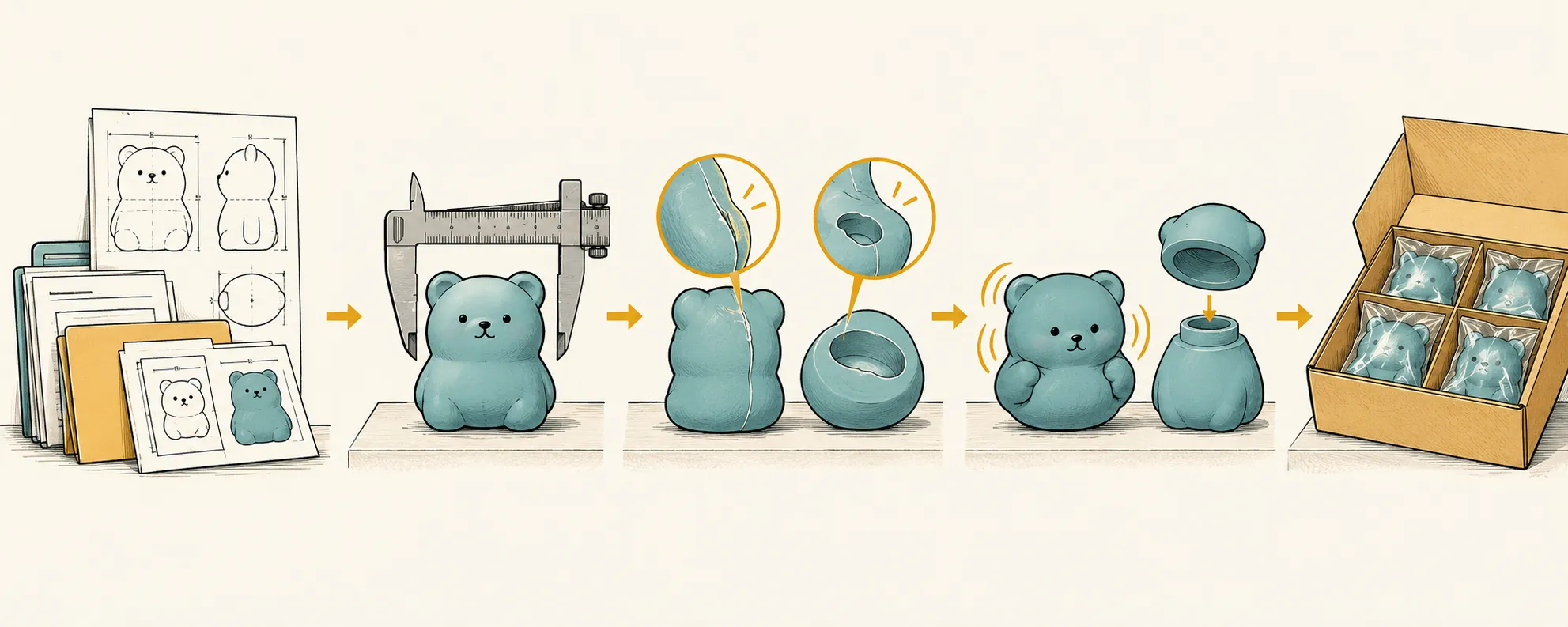
What wording should I send when requesting revision dates?
Ask for an itemized file register, a change summary and confirmation of the governing version—not merely a folder marked “latest.” Identifying samples by product, revision, date and associated files is also recommended in Toy Sample Development.
Use this request: “Please return the worksheet below for each product and variant under review. List the revision number and issue date of the product specification, artwork and packaging files, with links to the exact versions. Identify the matching physical sample and summarize changes from the previously submitted version. State which samples or orders each revision applies to, and identify any proposed substitutions or deviations. Keep approved attributes separate from open items. Please acknowledge the file set that production will follow after our named approver signs it.”
Request dates in YYYY-MM-DD format. Keep the supplier’s file issue date separate from your receipt date and approval date; a download timestamp does not establish when the specification changed. If files have different revision dates, retain those individual dates and list them together in one approval record.
Which fields should the revision-date worksheet include?
| Product identity | Enter the supplier SKU, descriptive product name, variant and buyer record ID. Identify exactly which configuration the review covers. |
|---|---|
| Product revision and issue date | Record the supplier’s revision identifier and YYYY-MM-DD issue date, plus the revision it supersedes and a concise change summary. |
| Linked file versions | List the exact filename, revision, issue date and stable link for each specification, construction description, artwork file and relevant supporting document. Preserve the reviewed copy rather than relying only on an overwriteable link. |
| Physical sample identity | Record the sample ID, supplier-stated product revision, date received and location of the retained sample. Confirm which file set it represents. |
| Specified target | State the intended construction, fill where applicable, dimensions, appearance, squeeze behavior, recovery and sound criteria. Identify the agreed physical reference or review method for subjective feel. |
| Observed result | Enter the actual measurements and sample observations against each target, including the review conditions. Link photos or video where useful; assess feel with the physical sample. |
| Packaging revision | Record packaging artwork and structural revisions, their issue dates and linked files. Identify the product revision checked inside the proposed pack. |
| Approved attributes and scope | List only the accepted attributes. Name the covered products, variants, colors, prints and accessories rather than writing “all approved.” |
| Open items and closure evidence | Give each issue an ID, priority, requested correction, owner, due date and required evidence. Record the actual closure evidence, reviewer and closure date. |
| Decision and named approver | Record approved, revise or hold; identify any conditions and the affected scope. Enter the responsible approver’s name and approval date. |
| Production applicability and acknowledgment | Identify the samples or orders governed by the approved file set. Record the supplier’s acknowledgment and link the final purchase-order reference. |
How would the request differ for a filled cube and a display-box squeezing toy?
| 3.5 cm maltose-filled ice-cube squishy — CPS348379 | Catalog baseline: transparent, thickened TPR soft-rubber shell filled with maltose liquid; subtle pearlescent appearance; OPP packing; reference MOQ 264; 264 units per carton. Revision request: identify the shell specification, fill description, dimensions and appearance reference. Link the reviewed physical sample and record squeeze feel, recovery, operating sound and any visible leakage separately from the specified targets. Give the OPP packaging its own dated revision. Decision: retain approval only for attributes actually reviewed; reassess affected attributes if the proposed shell or fill changes. |
|---|---|
| Display-box squeezing toy — CPS349725 | Catalog baseline: material field lists ABS; display-box packing; reference MOQ 1,152; 576 units per carton. Revision request: identify which components the ABS description covers and document the actual squeeze mechanism, moving parts and construction. Compare the identified sample’s action and operating sound with the agreed reference. Record the display-box revision and check it with the product inside. Decision: do not infer the whole toy’s construction or squeeze feel from the ABS field; approve the observed configuration against its dated specification. |
Can one approved sample cover several shelf-fidget variants?
One sample can support approval of explicitly shared attributes, but it does not automatically approve every color, print or accessory in an assortment. That distinction is supported by Toy Sample Development.
Name each variant covered by the shared approval and identify the common construction revision. Then record variant-specific decisions separately: color reference, printed artwork, finish, included accessories and packaging. A revised printed face need not reopen an unchanged shape approval, but it still needs its own dated artwork decision.
Do not carry construction approval between the two catalog examples above: they are separate products with different recorded descriptions. Shared worksheet fields are not evidence of shared construction.
How do I close revisions and authorize one production reference?
Close each open item with the evidence appropriate to the change, then have the named approver release the exact file set. Consolidating feedback, marking priorities and assigning one approver follows the purchasing practice described in OEM Sample Approval Process.
A corrected filename or date can close through a reissued document and supplier confirmation. A packaging-fit change calls for a check with the actual product inside. A proposed change to shell, fill, mechanism or squeeze feel calls for physical review of the affected attributes; an updated rendering cannot establish tactile equivalence.
For each correction, record the specified target, observed result, evidence link and closure decision. Keep unaffected approvals intact, but hold release of the affected configuration while a release-critical condition remains open.
Retain the approved physical sample and reference its identity, the product revision and the packaging revision in the purchase order. Ask the supplier to acknowledge that exact set and submit later changes for review before using them. Retaining an approved sample as the production reference is also described in OEM Sample Approval Process.
Archive superseded files so they remain traceable without appearing current. This record makes the agreed configuration identifiable; it does not by itself detect an undisclosed substitution or replace product inspection and safety evaluation.